Building Design Week NYC with Ushahidi

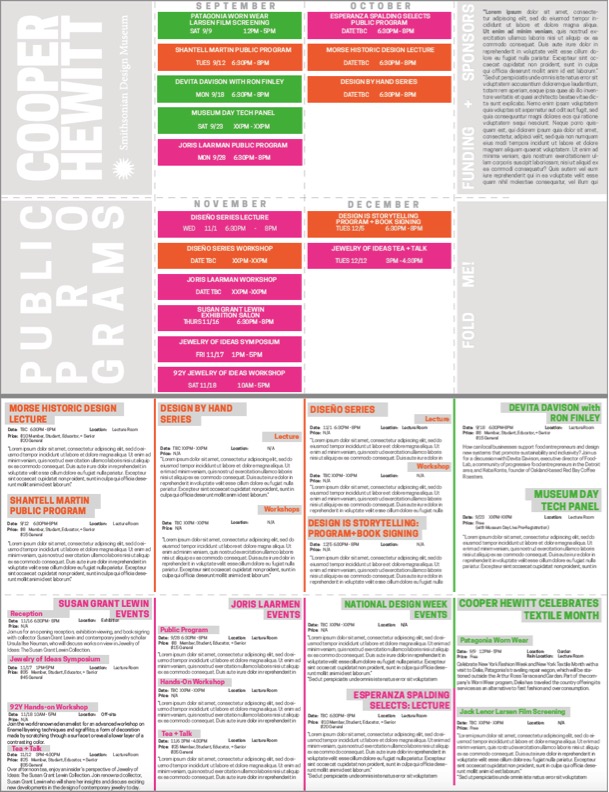
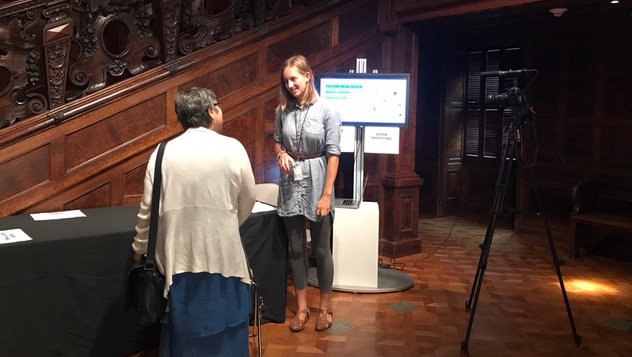
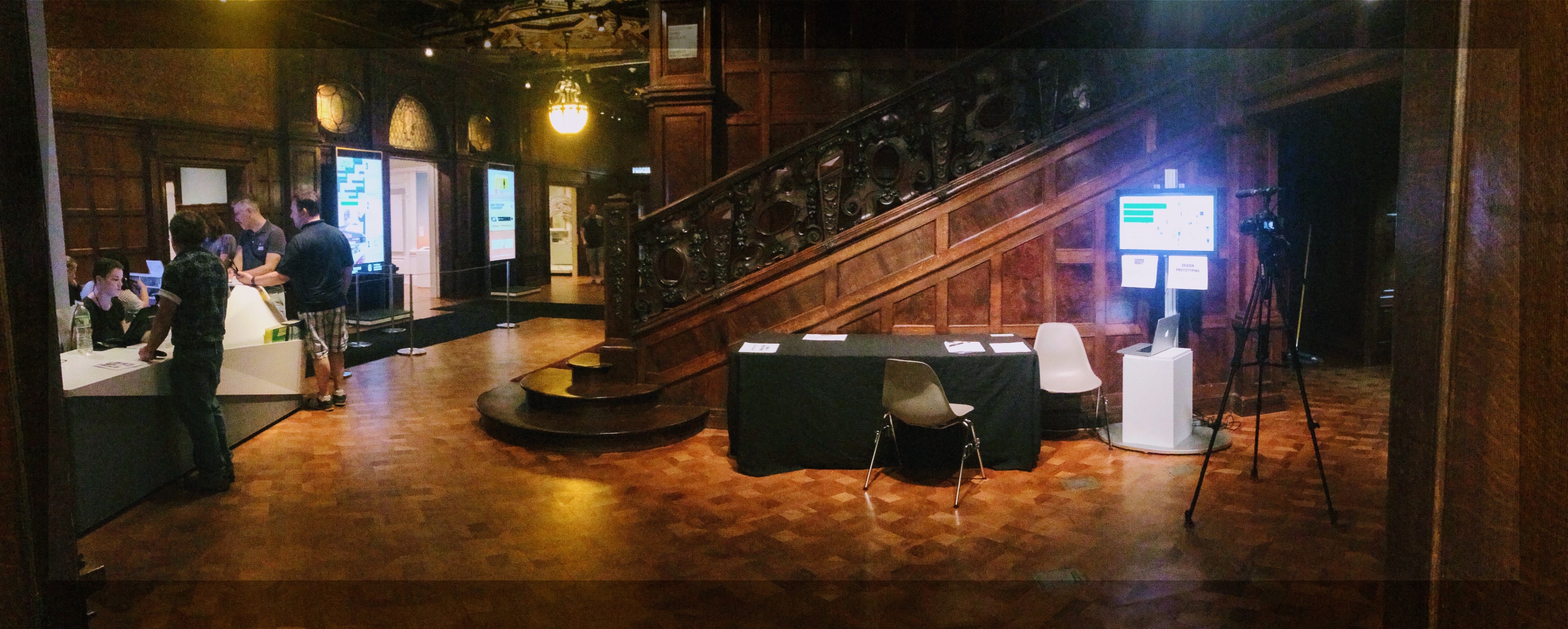
Today we pushed an event aggregator site for Design Week NYC out into the world.

Pulled together quickly in response to community need, we used the open source Ushahidi platform, usually used for emergency situations. We jokingly talked about using it to ‘tackle a design emergency’.

Micah answered a couple of questions about the project.

Why Ushahidi? What was Cooper-Hewitt’s relationship with them, if any?

When our communications and marketing team approached us with this project, I immediately thought of Ushahidi. We had recently featured Ushahidi in our Design with the Other 90%: CITIES exhibition, and through this I had grown to know their platform. Although originally designed for use with emergency situations and election monitoring ( or Wall Street occupying ) I thought that it could easily be customized to make sense for a city-wide week of related events. it seemed a perfect fit.

Ushahidi is an open source platform that is very much in development. Were there any tensions between using it ‘out of the box’ and the desired functionality?

Yes, we had to customize it to suit our needs. The main issue was the nomenclature Ushahidi has baked in across the platform. For example, the term “reports” didn’t really fit the vision we had for our deployment, as we would be mainly listing “events.” However, it turned out that this was fairly easy to remedy as the dev team at Ushahidi has done a decent job in compartmentalizing these kinds of things in the source code. The platform is also theme based, much like WordPress, so we were able to customize the overall look and feel of the site to our liking.

Some other issues we have come across have to do with the basic workflow. In a typical Ushahidi deployment, people on the ground submit reports. Its pretty straight forward. For our site, it would make more sense to create a list of events on a running basis and then allow the use of SMS and email and twitter to essentially comment and “check in.” It’s really only a matter of associating these things with the right data model, but this is failry rigid at the moment within the Ushahidi platform.

What were some of the major technical difficulties in getting it up and running?

Ushahidi has a lot of moving parts. Getting a basic install up and running is pretty easy ( about as easy as installing WordPress ) but it took some time to figure out how to integrate the site with the wide variety of plugins and add ons that are required to make the site really work. Functionality like following a twitter hashtag, submitting events via email or text took a little effort to get working properly.

Can you imagine a less-emergency-oriented fork of Ushahidi for these sorts of event planner operations?

Yes! I think it would be great to either fork Ushahidi for sites like ours that are more event driven and less “reporting.” However, I also sort of wonder if the dev team at Ushahidi might consider redesigning the core to make some of this a little more flexible. I’d also love to see them help prepare open sourced iPhone code for a more custom app deployment. There was a great article about using Ushahidi to essentially “roll your own” foursquare. The platform supports the idea of checkins via the iPhone app, though this part of the project seems to be fairly beta at the moment.

People playing with collections #14: collection data on Many Eyes

Many Eyes Website

Many Eyes Website

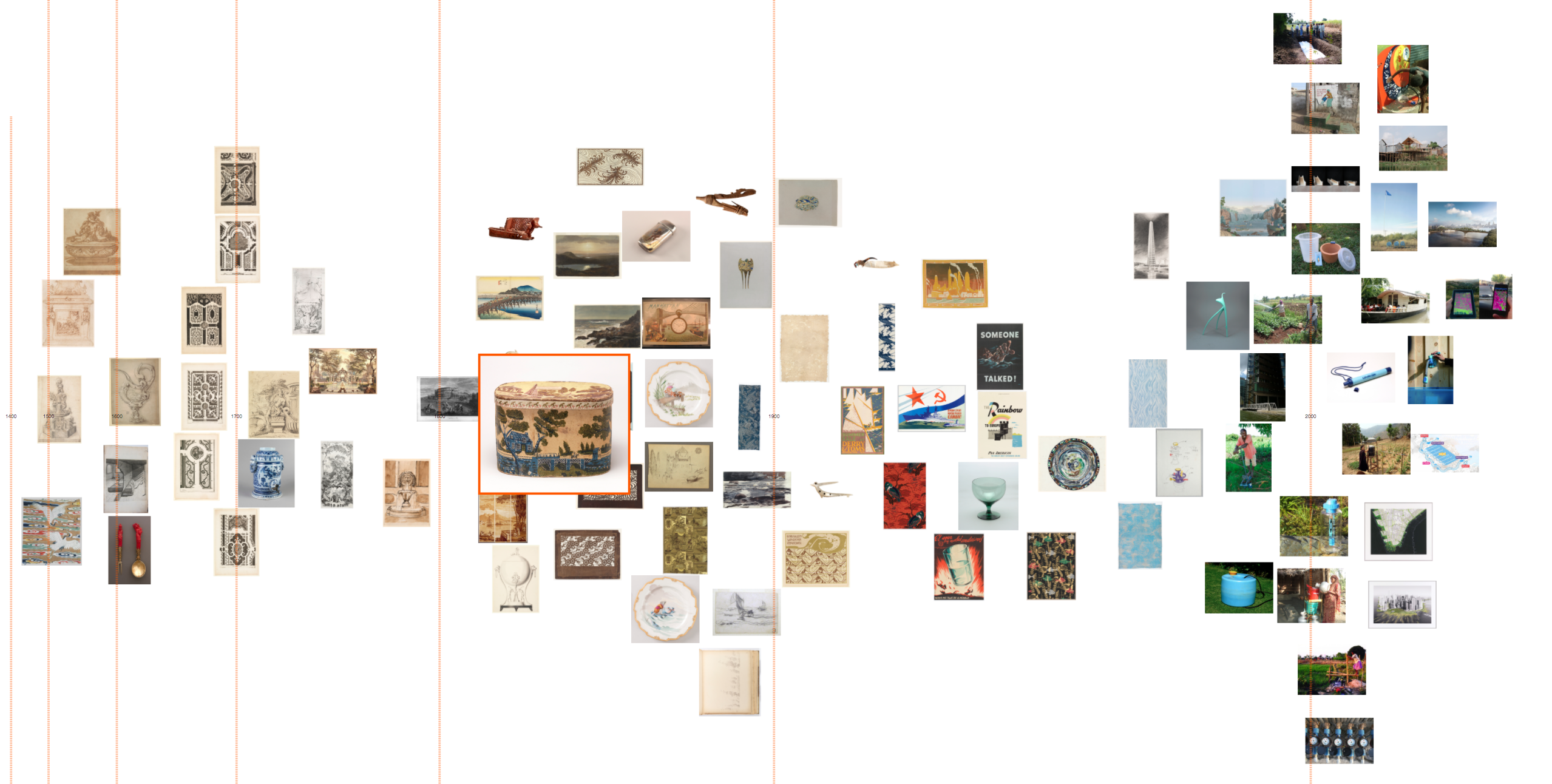
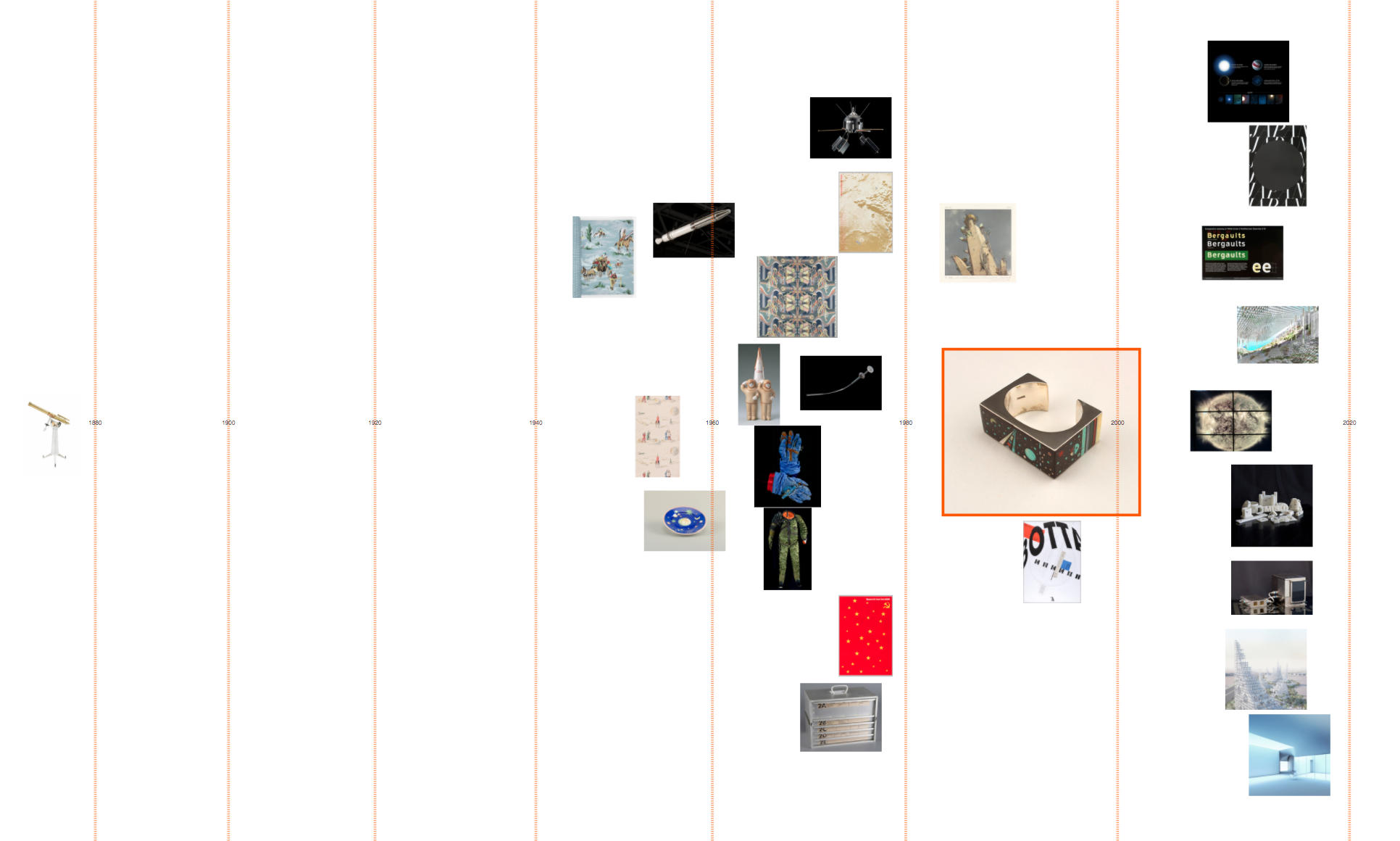
I love seeing examples of uses of our collection metadata in the wild. bartdavis has uploaded our data to Many Eyes and created a few visualizations.

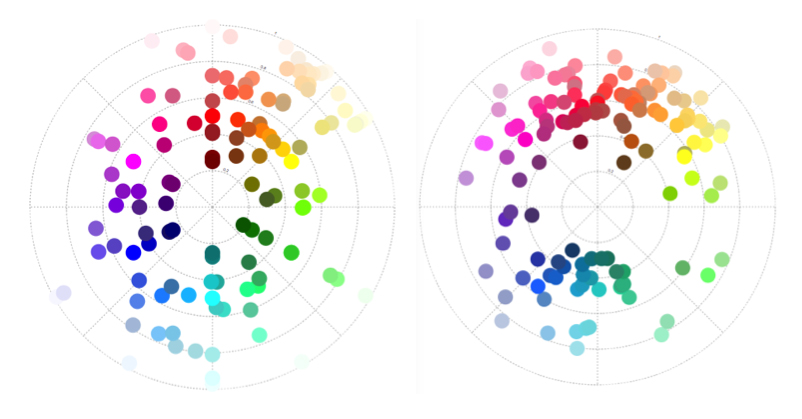
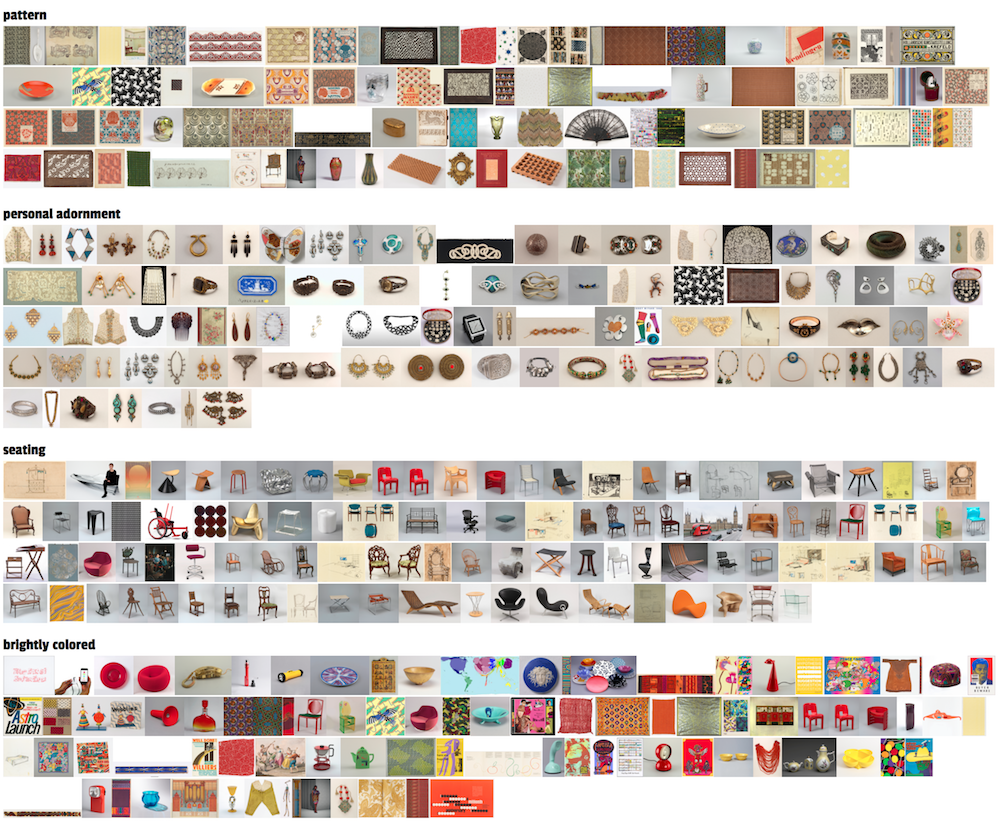
I found it interesting to see how many “matchsafes” we have in the collection, as you can easily see in the “color blindness test” inspired bubble chart! Here are a few screen grabs, but check them out for yourself at http://www-958.ibm.com.

Of interest to us, too, is that these visualisations are only possible because we released the collection data as a single dump. If we had, like many museums, only provided an API, this would not have been possible (or at least been much more difficult) to do.

Bubble chart of object types

Bubble chart of object types

Number of objects by century

Number of objects by century

Word cloud of object types

Word cloud of object types

Totally cached out

We do a good deal of cacheing on our web properties here at Cooper-Hewitt.

Our web host, PHPFog adds a layer of cacheing for free known as Varnish cache. Varnish Cache sits in front of our web servers and performs what is known as reverse proxy cacheing. This type of cacheing is incredibly important as it adds the ability to quickly serve cached files to users on the Internet vs. continually recreating dynamic web-pages by making calls into the database.

For static assets such as images, javascripts, and css files, we turn to Amazon’s CloudFront CDN. This type of technology ( which I’ve mentioned in a number of other posts here ) places these static assets on a distributed network of “edge” locations around the world, allowing quicker access to these assets geographically speaking, and as well, it removes a good deal of burden from our application servers.

However, to go a bit further, we thought of utilizing memcache. Memcache is an in-memory database key-value type cacheing application. It helps to speed up calls to the database by storing as much of that information in memory as possible. This has been proven to be extremely effective across many gigantic, database intensive websites like Facebook, Twitter, Tumblr, and Pinterest ( to name just a few ). Check this interesting post on scaling memcached at Facebook.

To get started with memcache I turned to Amazon’s Elasticache offering. Elasticache is essentially a managed memcache server. It allows you to spin up a memcache cluster in a minute or two, and is super easy to use. In fact, you could easily provision a terabyte of memcache in the same amount of time. There is no installation, configuration or maintenance to worry about. Once your memcache cluster is up and running you can easily add or remove nodes, scaling as your needs change on a nearly real-time basis.

Check this video for a more in-depth explanation.

Elasticache also works very nicely with our servers at PHPFog as they are all built on Amazon EC2, and are in fact in the same data center. To get the whole thing working with our labs.cooperhewitt.org blog, I had to do the following.

  1. Create a security group. In order for PHPFog to talk to your own Elasticache cluster, you have to create a security group that contains PHPFog’s AWS ID. There is documentation on the PHPFog website on how to do this for use with an Amazon RDS server, and the same steps apply for Elasticache.
  2. Provision an Elasticache cluster. I chose to start with a single node, m1.large instance which gives me about 7.5 Gig of RAM to work with at $0.36 an hour per node. I can always add more nodes in the future if I want, and I can even roll down to a smaller instance size by simply creating another cluster.
  3. Let things simmer for a minute. It takes a minute or two for your cluster to initialize.
  4. On WordPress install the W3TC plugin. This plugin allows you to connect up your Elasticache server, and as well offers tons of configurable options for use with things like a CloudFront CDN and more. Its a must have! If you are on Drupal or some other CMS. there are similar modules that achieve the same result.
  5. In W3TC enable whatever types of cacheing you wish to do and set the cache type to memcache. In my case, I chose page cache, minify cache, database cache, and object cache, all of which work with memcache. Additionally I set up our CloudFront CDN from within this same plugin.
  6. In each cache types config page, set your memcache endpoint to the one given by your AWS control panel. If you have multiple nodes, you will have to copy and paste them all into each of these spaces. There is a test button you can hit to make sure your installation is communicating with your memcache server.

That last bit is interesting. You can have multiple clusters with multiple nodes serving as cache servers for a number of different purposes. You can also use the same cache cluster for multiple sites, so long as they are all reachable via your security group settings.

Once everything is configured and working you can log out and let the cacheing being. It helps to click through the site to allow the cache to build up, but this will happen automatically if your site gets a decent amount of traffic. In the AWS control panel you can check on your cache cluster in the CloudWatch tab where you can keep track of how much memory and cpu is being utilized at any given time. You can also set up alerts so that if you run out of cache, you get notified so you can easily add some nodes.

We hope to employ this same cacheing cluster on our main cooperhewitt.org website, as well as a number of our other web properties in the near future.

Thoughts on Skillshare’s Penny Conference

Last week I went to Skillshare’s Penny Conference about re-imagining education for the 21st century. Here are my reactions to the some of the ideas that caught my interest:

Michael Karnjanaprakorn, founding CEO of Skillshare, opened the day with a talk that drew a distinction between learning and education. His company is built on the idea that in the information age, people don’t value a highly-trained expert lecturing at the front of a room as much as they used to. Education today is de-centralizing and democratizing. His triumphant tone here reminded me of Robert Wong at Bill’s Design Talks. Robert was really excited about the widening availability of digital design and media tools and their democratizing effect on culture.

Skillshare is an organization whose mission is to transform education by empowering teaching and democratizing learning.

A sense of triumph was also in the air when various speakers brought up themes of intellectual rebelliousness and dropping out of college. Rote learning, formulaic testing, and traditional metrics of success were denounced as the enemies of innovators and dreamers everywhere. These ideas uphold a lot of 20th century American lore surrounding the lives of entrepreneurial and creative luminaries. Our culture loves the stories surrounding famous dropouts like Steve Jobs and Mark Zuckerberg. I find these legends to have a strong Modernist aroma, distinctly un-21st century– the romance of a great lone genius. My hope for education in the 21st century is that our culture will put very high value on humility & interdisciplinary teamwork as weapons against big complex problems. A good team, I think, would have a healthy blend of rule-following experts and rebellious thinkers. Actually, I think both traits can coexist in one person. It shouldn’t matter whether you’re a dropout or a PhD– what matters is what you bring to the table.

Baratunde Thurston spoke about something that interested me– the idea of a porous, infinite book. He talked about his unique process of writing How To Be Black, the coolest part of which was the idea of “live-writing.” Live-writing entails publicizing a web link where anyone may view a broadcast of the author’s computer screen as he works. I think this is a really cool idea. Anybody who works on a computer could try this “open process”–a video editor, a graphic designer, an architect. Baratunde said he did not pay attention to the comment stream as he worked, however he did review the comments at the close of a writing session. I like how this, as a gesture, takes some of the mystique out of creative work. Now that the book is printed, he uses Twitter provocations and other web means to keep the conversation flowing and open. He views the final book as porous– not a finite, bound object. In the 21st century, printing no longer implies that a book is complete. I like this infinity idea because it feels truer to the way people really interact with a text–always citing, discussing, debating, revising.

Zach Sims of Codecademy argues that in the 21st century, "understanding algorithms" ought to be added to the core skills of Reading, Writing and Arithmetic.


I liked what Charles Best had to say about “pushing intelligence out to the edge.” The phrase comes from the security industry, referring to advanced device networks where a non-central node in the network can make intelligent decisions without querying the central node. Charles is excited about web platforms like Kickstarter, Etsy and his own website, Donors Choose, because they jettison the traditional gatekeepers and middlemen of cultural production, pushing [cultural] intelligence out to the public, which allows good ideas to come to life more easily and quickly. Charles pointed out another great outcome of pushing intelligence out to the edge, which is that “solutions can come from the front lines.” Many good examples of this phenomenon are included in our Design With The Other 90% exhibition series. The 90% series features lots of design solutions for different problems that originate from the end users themselves. There’s no need for products and services to come down from on high (governments, large companies, powerful institutions) any more. If you are interested in this topic, check out the Social Impact Design Summit we held early this year.

In sum, decentralization of ideas, learning, and teaching was the major theme of the day.

I thought the day could have been even better if someone had discussed an important group of concepts: prestige, class & social mobility. If we’re really going to re-imagine education for the 21st century in an inclusive, sweeping way (which was, I think, what the conference organizers intended) it’s important to keep aware of the different meanings “education” has for all. There’s a powerful association in our culture between education and social mobility. Adam Braun’s talk about building schools in Laos, Nicaragua and Guatemala did introduce the idea of access, but nobody made the more challenging mindset leap–it’s the shorter leap–to the complicated, insidious disparities in our own city. The opportunity to affiliate oneself with the status and high regard of a respected institution is a privilege. I think it’s a mistake to excessively glamorize an informal educational ethos without acknowledging the reality that going out on a rebellious limb is most comfortable for those with an economic safety net. Hacking education is great, but the traditional currencies of prestige and status can’t be omitted from a conversation about transforming education for all.

Building the wall

Last month we released our collection data on Github.com. It was a pretty monumental occasion for the museum and we all worked very hard to make it happen. In an attempt to build a small example of what one might do with all of this data, we decided to build a new visualization of our collection in the form of the “Collection Wall Alpha.”

The collection wall, Alpha

The collection wall, Alpha

The idea behind the collection wall was simple enough–create a visual display of the objects in our collection that is fun and interactive. I thought about how we might accomplish this, what it would look like, and how much work it would be to get it done in a short amount of time. I thought about using our own .csv data, I tinkered, and played, and extracted, and extracted, and played some more. I realized quickly that the very data we were about to release required some thought to make it useful in practice. I probably over-thought.

Isotope

Isotope

After a short time, we found this lovely JQuery plugin called Isotope. Designed by David DeSandro, Isotope offers “an exquisite Jquery plugin of magical layouts.” And it does! I quickly realized we should just use this plugin to display a never-ending waterfall of collection objects, each with a thumbnail, and linked back to the records in our online collection database. Sounds easy enough, right?

Getting Isotope to work was pretty straight-forward. You simply create each item you want on the page, and add class identifiers to control how things are sorted and displayed. It has many options, and I picked the ones I thought would make the wall work.

Next I needed a way to reference the data, and I needed to produce the right subset of the data–the objects that actually have images! For this I decided to turn to Amazon’s SimpleDB. SimpleDB is pretty much exactly what it sounds like. It’s a super-simple to implement, scalable, non-relational database which requires no setup, configuration, or maintenance. I figured it would be the ideal place to store the data for this little project.

Once I had the data I was after, I used a tool called RazorSQL to upload the records to our SimpleDB domain. I then downloaded the AWS PHP SDK and used a few basic commands to query the data and populate the collection wall with images and data. Initially things were looking good, but I ran into a few problems. First, the data I was querying was over 16K rows tall. Thats allot of data to store in memory. Fortunately, SimpleDB is already designed with this issue in mind. By default, a call to SimpleDB only returns the first 100 rows ( you can override this up to 2500 rows ). The last element in the returned data is a special token key which you can then use to call the next 100 rows.

Using this in a loop one could easily see how to grab all 16K rows, but that sort of defeats the purpose as it still fills up the memory with the full 16K records. My next thought was to use paging, and essentially grab 100 rows at a time, per page. Isotope offers a pretty nifty “Infinite Scroll” configuration. I thought this would be ideal, allowing viewers to scroll through all 16K images. Once I got the infinite scroll feature to work, I realized that it is an issue once you page down 30 or 40 pages. So, I’m going to have to figure out a way to dump out the buffer, or something along those lines in a future release.

After about a month online, I noticed that SimpleDB charges were starting to add up. I haven’t really been able to figure out why. According to the docs, AWS only charges for “compute hours” which in my thinking should be much less than what I am seeing here. I’ll have to do some more digging on this one so we don’t break the bank!

SimpleDB charges

SimpleDB charges

Another issue I noticed was that we were going to be calling lots of thumbnail images directly from our collection servers. This didn’t seem like such a great idea, so I decided to upload them all to an Amazon S3 bucket. To make sure I got the correct images, I created simple php script that went through the 16K referenced images and automatically downloaded the correct resolution. It also auto-renamed each file to correspond with the record ID. Lastly, I set up an Amazon CloudFront CDN for the bucket, in hopes that this would speed up access to the images for users far and wide.

Overall I think this demonstrates just one possible outcome of our releasing of the collection meta-data. I have plans to add more features such as sorting and filtering in the near future, but it’s a start!
Check out the code after the jump ( a little rough, I know ).

Continue reading “Building the wall” »

Teens & Tech Focus Group

On Saturday, at Cooper-Hewitt, we had a focus group with about 20 teenagers to learn how they prefer to capture and create media. The focus group was held jointly by Cooper-Hewitt and the American Museum of Natural History. Our two museums are connected by MacArthur’s HIVE Learning Network, which aims to create and connect informal and formal learning opportunities for youth in virtual and physical spaces.

My group used exclusively iPads-- even when other devices were readily available.

Both museums had experienced some digital follies over the last few years in our efforts to incorporate new digital tools into youth programs. From 3G connectivity woes to buggy beta software, these issues are an educator’s nightmare. Any one who has some experience teaching or running programs for kids can tell you that there’s no time for glitches when you’ve got a room full of students and a short amount of time. Stuff has to work, and you want the focus to be on content, not on tools.

Before diving in to a new season of fashion workshops and biology labs with hundreds of NYC teens, both museums wanted some fresh insight on how today’s teens relate to tech.

We wanted the students to get educational value out of their day with us, so we designed the focus group as a typical DesignPrep program, but with some added surveys and discussions about technology. Here was the structure of the day:

1. Pre-Survey for students

2. Cooper-Hewitt educators’ excellent “What is Design” and “Learning to See” presentations.

3. Ready, Set, Design– a hands-on activity to get the group “thinking like designers.” The activity challenges were tailored to the context of Central Park (“I need to find my way around the park efficiently,” “I want my walk around the reservoir to be more fun and interesting,” etc)

4. Announced the students’ challenge– to collect a diverse array data from a given zone in Central Park, identify something in that zone that could benefit from a design solution, and finally present their ideas to the group.

5. “Hardware Buffet”– we put out Android phones, iPads, still cameras, video cameras, notebooks and pens. We observed carefully while the students chose their tools.

6. We split into 4 groups and headed to the park. The students lead their own processes of data collection while Museum staff observed. Staff also carried bags of “buffet leftovers” to allow any hardware swaps along the way.

Collecting photos, videos and statistics in Central Park

7. We returned to Cooper-Hewitt, where the students synthesized their media and created presentations.

Synthesizing multimedia and ideas for a final presentation

8. Presentations, group discussion about technology, followed by an exit survey for students.

Student presentation using Tumblr

9. After the students left, Museum staff completed a survey to record fresh thoughts on the day.

What did we learn? Here are some excerpts from Museum staff’s surveys:


Rebooting retail – redesigning the Shop at Cooper-Hewitt

Jocelyn Crapo is the Cooper-Hewitt’s Director of Retail Operations. She and her team have been working to transfer the focus of the museum shop from its former physical presence in the galleries to an online experience whilst the redevelopment takes place.

To that end, a brand new ecommerce presence went live as public beta last week.

Here’s Jocelyn.

Tell us about the history of Cooper-Hewitt’s online shop.

The Shop’s first ecommerce site launched in June of 2006, using a custom content management system on the back end and was a close visual representation of the physical shop space. The first iteration used Paypal as the payment processor and the shop staff maintained inventory levels for both the physical shop and the Ecommerce site by running online sales through the Point of Sale in the Shop.

At the time we were using and constantly maintaining three different content management systems within the Retail team and as many accounting platforms within one department.

1. CAM Commerce’s Retail Star Point-of-Sale system to maintain inventory levels and Accounting reports,
2. Filemaker to maintain “blurb” information for display in the physical shop space and to maintain online blurb information
3. Custom CMS to maintain the Ecommerce website
4. Paypal to process Ecommerce sales

It was very inefficient and downright clunky. Not to mention a high risk of human error.

If there was a price change on one product, the price had to be changed in four different places, often requiring action from at least three different people. The price had to be updated in Retail Star, a new tag printed and affixed to the product, the price had to be updated in Filemaker and a new blurb had to be printed and displayed within the shop, and finally the Ecommerce CMS had to be updated for the web. All this for a small change of price in one product!

We began looking for a new inventory management system that could handle more of our needs. We wanted a system where the product attributes (price, blurb, inventory) could all be managed by one person in one place as much as possible. We finally identified a system and launched with the new system in October, 2010.

How did the old site perform?

During the first 5 years, our online sales ranged from 5-8% of our gross sales – which may not seem very significant, but given the small investment cost that went into the site in 2006, it paid for itself many times over.

As we were able to gather better and better data from Google Analytics we found that we had a conversion problem. We were getting visitors to the site, but in the end only 0.39% of the total visitors who came to the online shop actually purchased something.

Worse, only 10.81% of the visitors who put something in their cart actually completed the transaction.

While we were frustrated with the back-end functionality we knew that we had to streamline our front-end usability issues and bring up the conversion rates.

As we approached the beginning of a major renovation at the Cooper-Hewitt campus at the end of 2011, it was crucial to move forward as quickly as possible to get the new website on its feet. It quickly became the sole revenue source for the retail business venture and we needed a way to put more products online – quickly and easily. Moving from having both a physical shop and an online shop to having just an online shop has posed some new challenges.

We’ve had to re-evaluate order quantities and think differently about our space constraints. We don’t have the luxury of having two different selling platforms. We no longer have the face-to-face contact on the sales floor that inherently sparks a connection and relationship between the retailer and visitor. We are also challenged to interact visually and via narrative, rather than a tactile, person-to-person selling experience.

What were the features you looked for in a new site?

We needed a new system that offered;

- Real time inventory management for multiple sales channels: POS in physical shop space, Ecommerce site, potential pop-up shops, etc.

One immediate problem we experienced was maintaining inventory levels, especially when we had a product that was picked up for editorial coverage and we had a hard time keeping product in the shop, while fulfilling the website orders. It became obvious very quickly that we needed a much more robust system that could maintain real-time inventory, selling products through the physical shop, through an off-site kiosk or pop-up shop, and on the web with one central inventory.

- Seamless payment.

The old site used Paypal as the payment gateway and we knew from Google Analytics that many visitors to our site who had placed items in their shopping cart were not completing their purchases. By doing some tracking we discovered that nearly 9 out of every 10 were abandoning the purchase when they left us to checkout through Paypal.

- Modern, flexible navigation and search, not to mention SEO.
- Integrated members discounting
- Flexible product pages that would allow us to tell the stories of different products and why we had selected them for our shop.
- Real time Fedex pricing

Let’s look at some before and after screens

Home page before and after. The new site is less cryptic and allows us to show many more products immediately.

Product category view before and after

Product detail before and after. The new site gives the ability to have more detailed information on the products, large pop up views, as well as recommendations in the sidebar.

Checkout before and after. A much more streamlined checkout process without having to go offsite to PayPal.

How do you think the online shop will affect the future retail presence of Cooper-Hewitt?

Looking forward, I imagine we will have a very different perspective as we plan to open the next iteration of The Shop at Cooper-Hewitt when the museum re-opens.

What were once major factors in product selection will likely become less important, for example, our audience won’t necessarily be limited to people who can physically come to the Upper East Side, and we’ll undoubtedly have an off-site storage facility that will allow us to offer larger footprint products like furniture, lighting, textiles, even wallpapers.

We will also be able to use web analytics to inform merchandising strategies as we re-open a brick and mortar shop down the line, for instance, we can start to drill down into the purchasing habits of our customers, i.e. people who bought “x” also bought “y”. Armed with this knowledge we might merchandise two products together, that we wouldn’t have ever dreamed of displaying together before.

In fact, we will have the tools to do some online experiments which will provide quick and measurable results about what products sell best when merchandised together. These types of statistics were impossible to gather within our physical space since we had no way to track real time results of merchandising changes.

It will be very interesting, now that we have this new ecommerce system in place, whether the new identity of the physical shop will respond to the website or if the website will morph to a brand new graphic expression in response to the design of the new Shop to open with the new museum buildings.

When does the new site launch?

It is in public beta right now! And we’re doing a formal launch in May after we make some incremental improvements to it over the next two months.

Check it out!

Releasing the collection on GitHub

Late last week we released the Cooper-Hewitt’s collection metadata as a downloadable file. And in a first for the Smithsonian, we dedicated the release to the public domain, using Creative Commons Zero.

I’m often asked why releasing collection metadata is important. My teams did similar things at the Powerhouse Museum when I was there, and I still believe that this is the direction that museums and other collecting institutions need to go. With the growing Digital Humanities field, there is increasing value in scholars being able to ‘see’ a collection at a macro, zoomed out level – something which just isn’t possible with search interfaces. Likewise the release of such data under liberal licenses or to the public domain brings closer a future in which cross-institutional discovery is the norm.

Philosophically, too, the public release of collection metadata asserts, clearly, that such metadata is the raw material on which interpretation through exhibitions, catalogues, public programmes, and experiences are built. On its own, unrefined, it is of minimal ‘value’ except as a tool for discovery. It also helps remind us that collection metadata is not the collection itself.

Of course it is more complex than that.

There are plenty of reasons why museums are hesitant to release their metadata.

Collection metadata is often in a low quality state. Sometimes it is purposely unrefined, especially in art museums where historical circumstance and scholarly norms have meant that so called ‘tombstone data’ has sometimes been kept to a bare minimum so as to not ‘bring opinion’ to objects. Other times it has simply been kept at a minimum because of a lack of staff resources. Often, too, internal workflows still keep exhibition label and catalogue publishing separate from collection documentation meaning that obvious improvements such as the rendering of ‘label copy’ and catalogue narrative to object records is not automatic.

But I digress.

We released our metadata through GitHub, and that needs some additional explanation.

GitHub is a source repository of the kind traditionally used by coders. And, lacking a robust public endpoint of our own which could track changes and produce diff files as we uploaded new versions of the collection data, GitHub was the ideal candidate. Not only that, the type of ‘earlyvangelists’ we are targetting with the data release, hang out there in quantity.

The idea for using GitHub to host collection datasets had actually been bouncing around since April 2009. Aaron Straup-Cope and I were hanging out in-between sessions at Museums and the Web in Indianapolis talking about Solr, collection data, and APIs. Aaron suggested that GitHub would be the perfect place for museums to dump their collections – as giant text blobs – and certainly better than putting it on their own sites. Then 2010 happened and the early-mover museums all suddenly had built APIs for their collections. Making a text dump was suddenly off the agenda, but that idea of using GitHub still played on my mind.

Now, Cooper-Hewitt is not yet in a suitable position infrastructurally to develop an API for its collection. So when the time came to make release the dataset, that conversation from 2009 suddenly became a reality.

And, fittingly, Aaron has been the first to fork the collection – creating individual JSON for each object record.

Could GitHub become not just a source code repository but a repository for ‘cultural source code’?

(But read the data info first!)

Deploying 129 iPads to NYC Schools

One of the exciting projects we have underway is deploying 129 iPads to teachers in New York City public schools. As you can imagine, this is a somewhat challenging project and not just from a technical perspective.

This is happening as part of a US Department of Education funded project called Arts Achieve. Here’s Katie Shelly, who is handling the tech for the project.

What is i3 and Arts Achieve?

i3, which stands for Investing In Innovation, is a new grant program of the U.S. Department of Education. Established in 2009 as part of the American Recovery and Reinvestment Act, the i3 Fund provides competitive grants to cultural and educational organizations to expand innovative practices that will have an impact on improving education by advancing student achievement, student growth, closing achievement gaps, decreasing dropout rates, increasing graduation, college enrollment and/or college completion rates.

In 2010, Studio in a School was awarded an i3 grant in conjunction with five partner institutions – including Cooper-Hewitt. The winning entry, called Arts Achieve, proposed the development of an ambitious pilot program in New York City public schools to improve student achievement in the arts by building high-quality, digitally replicable arts assessments, along with a corresponding digital community and resource kit. Each partnering organization brings a different expertise to the development of the pilot. Carnegie Hall, The 92nd Street Y, ArtsConnection and Studio in a School bring music, dance, theatre and visual art expertise respectively. Cooper-Hewitt brings expertise on the innovative use of technology for education and design thinking expertise, and The NYC Department of Education brings expertise in curricula, state and national standards, and very importantly, the ability for us to connect with public schools. We’re currently in year 2 of 5, which means the Arts Achieve program is up and running– with 43 participating schools, hundreds of educational professionals and thousands of students participating. Our online community, powered by Ning, is abuzz with about 200 members who use the space to share lesson plans, media, resources, and feedback, bringing hundreds of individuals with different areas of niche expertise together in a single network focused on developing and implementing high-quality assessments for the arts.

How did you come to select iPads as the most appropriate technology? What can they do that others cannot?

We considered laptops, PC tablets, linking up peoples’ phones.. we even considered commissioning an elaborate arts assessment booth or kiosk (we jokingly call this wild idea “the laser box”).

The iPod touch and smartphones were cheap, but had too small of a screen for good collaboration.

Laptop user's "don't bug me" body language.

Laptops are highly capable but too individual-oriented to cultivate the feedback-rich classroom environment we wanted. When people are working on a laptop, it sends out this message that says: “I’m working–don’t bug me!” We wanted technology that would set the stage for collaboration, teamwork and most importantly, many layers of feedback– from student to student, teacher to student, outside the school to inside, and so on. Constant feedback flow is a big philosophical pillar in the project.

The kiosk idea, though tempting for the ability to infinitely customize for our project, was too pricey to be nationally replicable. A key goal of our pilot is to create something that can be replicated elegantly and affordably in any public school classroom in the United States. So for that reason we deciced to adapt existing technologies rather than develop something proprietary.

The only thing we rely on schools to provide is an Internet connection. Everything you need to participate is included our package. The package has 3 customized iPads, wireless access point with 14ft ethernet cable, speaker/pico projector combo dock (chosen for its wonderful lack of hookup cables) some styli, iRig mic, and durable iPad cases.

iPad users' 'hey, let's explore together!' body language

We liked iPads because we know that many teachers and students are already familiar and comfortable with the interface. The touchscreen was a big thing for us, because the flat, “swipey” interface fosters body language that says “come play with me, let’s explore!” We could imagine a bunch of kids gathered around a video or a group game, working together. And we had seen compelling reports of classrooms around the country using iPad to do just that, which confirmed our hunch that this was the best way to go.

What Apps did you select? What criteria did you use?

Our custom iPad image has 90 apps pre-loaded for the classroom. We asked our partner institutions in the different arts disciplines to suggest high-quality apps for their disciplines.

We looked for apps that we could picture a group of kids using together collaboratively. There’s a beautiful one called Visible Body that lets you zoom and spin around the entire human anatomy–bones, muscles, ligaments. I could see that engaging a group of students trying to draw from life or learning to understand their bodies through dance. I also like one called Educreations, which lets you draw on the screen while speaking/explaining, which you could imagine being useful for theater students planning out blocking while speaking cues, and perhaps using the recorded video to explain their vision to others. A drawing teacher could make a demo video to open a lesson on 3-D shading techniques, or as a tool to support students in need of extra help.

We included several video and photo editing apps to help teachers record and share what’s happening in their classroom in the Arts Achieve online community too.

If an app required elaborate setup or login, we nixed it. We operated on the assumption that since teachers are always extremely pressed for time and juggling many demands, there’s no time for anything that takes more than a few taps to get up and running.

What were the challenges in setting the iPads up for use across so many different schools?

A huge issue for teachers trying to harness the educational power of technology is simply getting online. Find the right wi-fi network, track down the IT guy to get the password, enter a 15 character password… enter a proxy setting, possibly another password in the browser… and repeat that process for multiple devices…. By now your 40 minute lesson time is halfway over.

A huge win for us was the ability to pre-configure these iPads for instant web access. All the teacher has to do is plug in an Airport Express brick to the outlet & the nearest ethernet jack. They turn on their iPads, which are pre-programmed to look for the Airport and pre-configured with DOE proxy settings. They plug in the brick, turn on the iPads, and they’re online. A little bit of configuration legwork from us will save hours of accumulated time for these teachers.

Each iPad has the same disk image that has been custom configured and optimized for the project. They’re pre-loaded with networking settings, relevant bookmarks for the Ning network, wallpaper with our logo and even keyboard shortcuts that reflect the Arts Achieve vocabulary. The iPads are centrally tethered and controlled using AirWatch, so we can see when and how they’re being used, where they are, push out new apps as we learn about them, and block whatever latest new distracting game is out there. We can also troubleshoot problems remotely, which is huge because the test schools are far-flung all around the city.

How did you balance the locked down needs of schools with the needs of the Apps?

3G connection was not an option because we needed to keep everyone inside the school firewall. So we’re satisfying a lot of the schools’ online safety needs because we’re staying inside their firewall.

Transferring photos easily and wirelessly with Photosync App

Use of e-mail to send and receive media is also not something we can encourage because that is currently not allowed for students. To get around this, we found two brilliant apps that let iPad send and receive data with any computer wirelessly– Photosync and MP3 player. This avoids the annoying issue of having to designate a computer and active iTunes account for a given iPad to sync up with. All the teacher wants to do is get their video or photo out of the iPad and onto a computer so they can work on it later or post it online. These apps allow them to do that in the simplest way possible.

What extra features did you wish the iPad/iOS had to help with these sorts of rollouts?

The iPad is designed for an individual to use and sync up with their personal computer. It would be nice if there was a “group mode” or something for iOS that made it easier to deploy multiple iPads  to a user group who don’t have syncing computers. In our dream setup, Arts Achieve central would have a Master iPad, and any changes we made to the master unit would automatically push out to the classroom iPads, without the teachers having to log in to iTunes, memorize any passwords, punch in credit card info, or any other time-killing, lesson-derailing obstacles. “Group mode” would be good for schools, or for a company issuing iPads out to employees, or a parent who wants to manage their kids’ devices. iCloud is close, in that it eliminates some of the headache of plugging in and physically syncing, but again, that service is designed for an individual consumer managing a personal media library… it wouldn’t work that well for a project like Arts Achieve, which demands replicability & uniformity from one classroom to the next.

Upending ticketing

One of the opportunities we have right now is to challenge the conventional wisdom that back-of-house systems need to always be ‘enterprise grade’. As we are currently in renovation mode and our exhibitions and programs are happening offsite and around the city, we have the chance to rethink and experiment with different systems to perform common functions such as ticketing. In so doing we are looking at the way different systems shape visitor/staff interactions and are also able to refocus by choosing systems on their user experience rather than their ‘backwards compatibility’.

A recent change we’ve made is to use EventBrite for ticketing, replacing a system that despite being tightly integrated with our donor management system placed an inscrutable purchasing interface between the customer and their desired tickets. It isn’t a permanent solution (what is these days?), but more the opening of a ‘possibility space’.

So how is it going?

Our ticket selling velocity has increased – events sell more quickly – and we’ve been able to integrate ticket selling directly into our email marketing, as well. When ticket price points have reached capacity we’ve used automatic waitlisting and we’ve even been able to collect donations as purchasers buy tickets, and we’ve also been able to issue refunds easily when required. Most importantly the customer experience of purchasing tickets has vastly improved.

Last night, we had our first trial of a medium size event check-in. Using the EventBrite iPhone Check-In App we were able to run a cashless door using staff members’ iPhones to check everyone in quickly. Checkins were done via ticket scans and where people had forgotten their printed ticket, by name. Each iPhone synced to the master list meaning that we could easily ‘add extra ticket staff’ to process more people if we had a logjam. This had a nice side effect of freeing up staff time to direct visitors to our roving iPads for quick signup to our mailing list on their way into the venue.

But the purpose of deploying lightweight technologies as a replacement for gargantuan enterprise systems is not just about improving visitor experience, or streamlining back-of-house operations – it is also about positioning us to reconceptualise the type of entry/ticketing experience we might want for our new building and galleries when they are completed.

If it is possible to do the entry experience to events in a seamless mannner with only mobile devices, can a museum jettison its ticket counter in a redesign? It also makes us ask ourselves to be specific about the other functions ticket counters might serve.